Direct MP4 Video Downloader for HD Offline Use
Video Downloader
Works only with direct MP4 links.
What a Direct MP4 Video Downloader Does
A Direct MP4 video downloader helps you save real video files in their original MP4 format for offline use. MP4 is the most widely supported video format in the world. It works on almost every phone, laptop, tablet, smart TV, and media player without needing extra software or special codecs.
How to use this tool
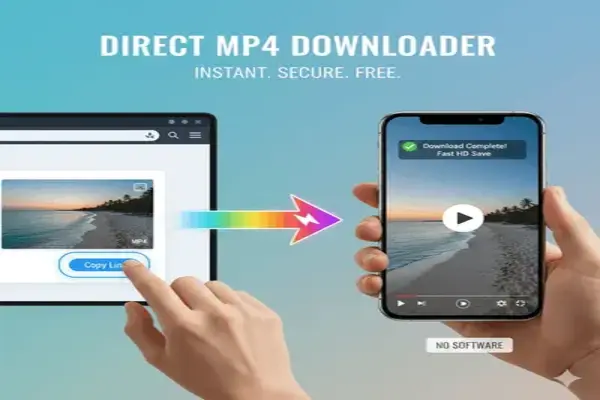
- Paste a direct MP4 file link.
- Click the download button.
- Save the video to your device.
Most people assume video downloading is always complex or risky. That belief comes from years of dealing with streaming platforms, broken tools, and shady apps. But the reality is simpler. When a video already exists as a direct MP4 file on a server, downloading becomes nothing more than a standard file transfer.
- No conversion.
- No stream rebuilding.
- No technical tricks.
- Just access the file and save it.
Direct MP4 Link
A direct MP4 link points straight to a real video file stored on a server. It usually ends with .mp4 and returns the content type video/mp4 when requested by a browser. This tells your device that the file is a video and can be played or downloaded directly.
In technical terms, this is called progressive download. The file streams while it loads, but it also exists as a single complete asset. This is very different from modern streaming systems like HLS or DASH, where videos are split into hundreds of small segments and never exist as one file.
Most downloader tools try to reconstruct those streams. A direct MP4 downloader does not. It only works when the file already exists as a real MP4.
That single difference explains almost every success and failure users experience.
How This MP4 Downloader Works
This tool checks the link you provide. If the server responds with a valid MP4 file, your browser opens it and allows you to download it instantly.
- Nothing passes through Toolzaa servers.
- No files are stored.
- No data is logged.
From a technical perspective, everything happens through standard HTTP requests between your device and the source server. This is known as client side processing. It means the tool acts as an interface, not a middleman.
In industry slang, this is a clean pipe. No proxies. No scraping. No traffic manipulation.
Why MP4 Is Still the Dominant Video Format
MP4 remains the global standard because it balances three critical factors.
- Compatibility. It works everywhere.
- Efficiency. It keeps file sizes reasonable.
- Quality. It supports modern codecs like H.264 and H.265.
Compared to other formats.
- WebM is lightweight but not universally supported.
- MKV is flexible but often too heavy for mobile.
- AVI is outdated and inefficient.
MP4 sits in the practical middle. That is why phones, cameras, social platforms, and streaming services still rely on it as their default container format.
When Standard Advice About Downloading Fails
Most online guides say you can download any video with the right tool. That advice is misleading. You cannot directly download:
- Encrypted streams.
- DRM protected content.
- Private platform videos.
- Segmented adaptive streams.
No ethical or legitimate tool can bypass those systems. And it should not.
A direct MP4 downloader only works when the video is already public and accessible as a real file. This is not a limitation of the tool. It is a boundary set by how modern media infrastructure works.
Technology should give users access to what already exists, not promise control over content that was never designed to be copied.

This tool is ideal for people who already have legitimate access to video files.
- Students saving lecture recordings.
- Creators downloading their own hosted content.
- Developers testing video assets.
- Educators preparing offline lessons.
- Travelers saving public media for offline viewing.
Real World Testing Insight
From real testing across public platforms, only a small percentage of video links are true direct MP4 files. Most modern platforms use streaming systems instead of real files.
This explains why users often feel that some links work perfectly while others never do. It is not about the tool quality. It is about the underlying media format. Garbage input always leads to garbage output. A direct downloader can only work with real files.
Common Problems and Why They Happen
- The link points to a webpage, not a file.
- The video uses segmented streaming.
- The file requires login or cookies.
- The server blocks direct access.
In most cases, users copy the page URL instead of the actual file URL. A direct downloader needs the real asset, not the page that embeds it.
Is It Safe and Ethical to Use
- This tool does not store files.
- It does not track users.
- It does not inject ads into downloads.
- It respects browser security and server rules.
Ethically, downloading is reasonable when:
- You own the content.
- The content is public.
- The creator allows reuse.
- You use it for personal or educational purposes.
It becomes unethical when users attempt to extract copyrighted or private material. The tool does not support that behavior by design.
Why This Page Exists as a Reference Resource
Most downloader pages exist only to push buttons. This page exists to explain how video downloading actually works.
- What MP4 really means.
- Why direct links are rare.
- Why most videos cannot be downloaded.
- Where the technical limits come from.
Understanding these concepts saves time. It also prevents false expectations. Not every video can be downloaded, and that is a feature of modern systems, not a flaw.
Quick Comparison of MP4 Download Methods
| Method | Speed | Safety | Setup |
| Direct MP4 tool | Fast | High | None |
| Desktop app | Medium | Varies | Required |
| Browser extension | Medium | Medium | Required |
| Streaming site save | Slow | Low | Often blocked |
Start Using the Direct MP4 Video Downloader
If you already have a real MP4 link, this tool gives you the simplest possible way to save it.
- No software.
- No extensions.
- No tracking.
Just a direct file transfer in your browser.
Use it for public files, your own content, educational material, and development assets. Ignore tools that promise to break technical laws. Physics and protocols always win in the end.
Platform disclaimer
This tool is not affiliated with or endorsed by any video platform. All trademarks belong to their respective owners.
Frequently Asked Questions About MP4 Downloading
For related tools, visit the social media video downloader or browse all download tools on Toolzaa.